
Track a bulk campaign
Follow every letter in a bulk campaign, find the ones that need attention, and download a report or the letter PDFs.
Last updated October 24, 2026
Each bulk campaign has its own page with every letter, its status, and its tracking number. Everyone in your organization can see your organization's campaigns.
Open a campaign
- In the menu, under History, select Campaigns.
- Select a campaign to see its letters.
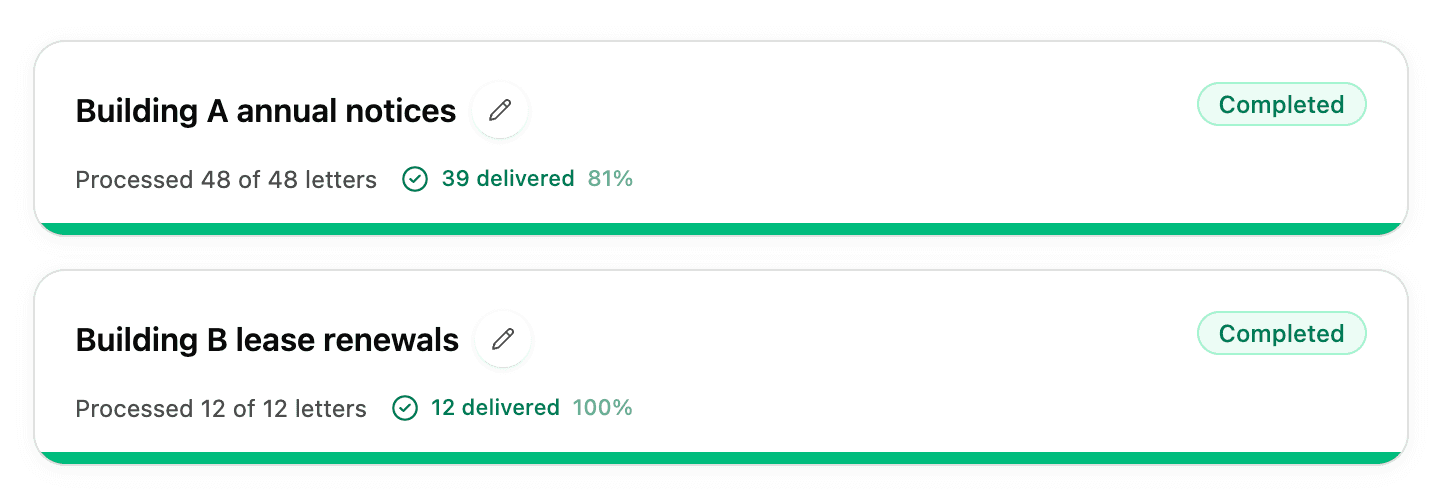
To rename a campaign, select the pencil icon next to its name.
Campaign statuses
| Status | What it means |
|---|---|
| Processing | We're creating the letters. You can leave the page; this continues in the background. |
| Completed | All letters were created. Some may have been left out because of an address problem. |
| Not sent | No letters could be sent, and you weren't charged. Contact us if you're not sure why. |
| Payment needed | The letters were sent but the payment didn't go through. Contact us. |
Find letters that need attention
In a campaign, use the filters at the top:
-
Delivered and In Transit work like the statuses on single letters. See Track your letters.
-
Needs review shows letters with a USPS delivery issue, such as Notice Left or Return to Sender. See When a letter isn't delivered.
-
Not sent shows letters that were left out before mailing, with the reason:
- Address issue: USPS couldn't confirm the address.
- Address change detected: the recipient filed a change of address with USPS.
These letters show Not charged. Fix the address and send them as single letters, or in a new campaign.
You can also search by recipient name or address. Select Track on USPS next to any letter to see its USPS tracking page.
Download your records
Select Download in a campaign:
- Campaign report: a spreadsheet of every recipient with their status and tracking number. Useful for your files or for sharing with your team.
- Letter PDFs: a ZIP file with a copy of every letter.
Keep a copy of the campaign report with your records. It lists each tracking number, which you'll need to get a return receipt from USPS. See Return receipts and proof of delivery.